Find your studio, or change it
Set each dancer's home studio, and switch it when they move, without changing anything already recorded.
- About 2 minutes
-
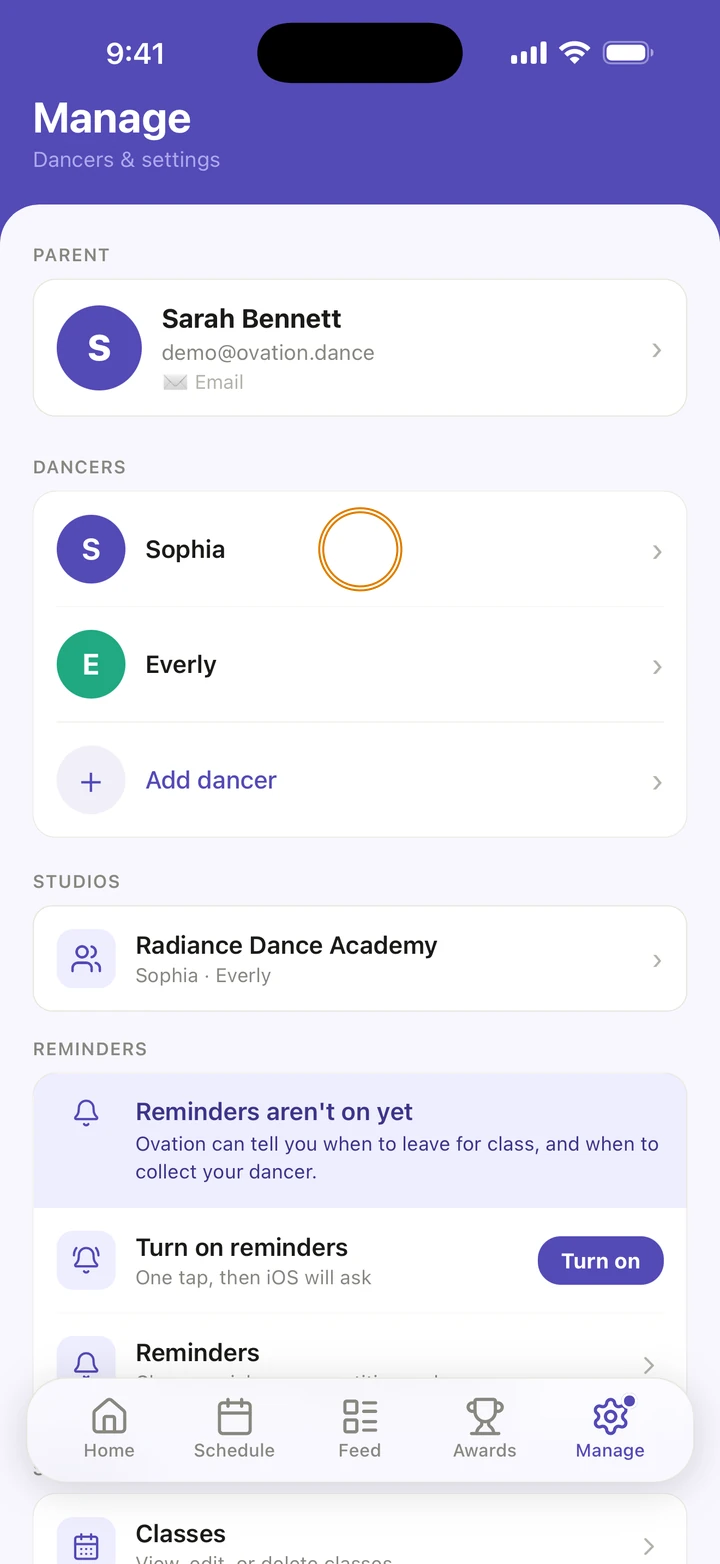
Go to Manage and tap your dancer under DANCERS.
-
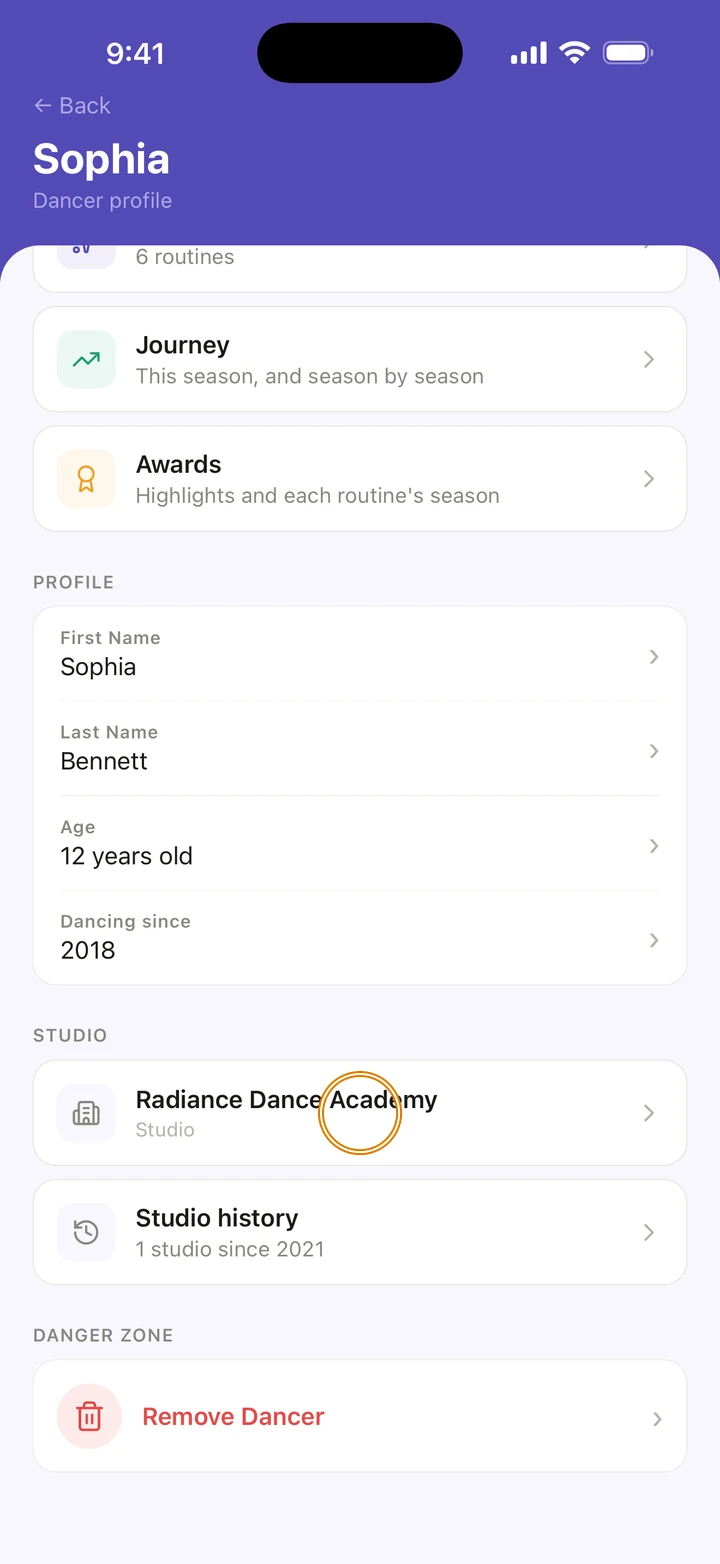
Under STUDIO, tap the studio, or Add a studio if they don't have one yet.
-
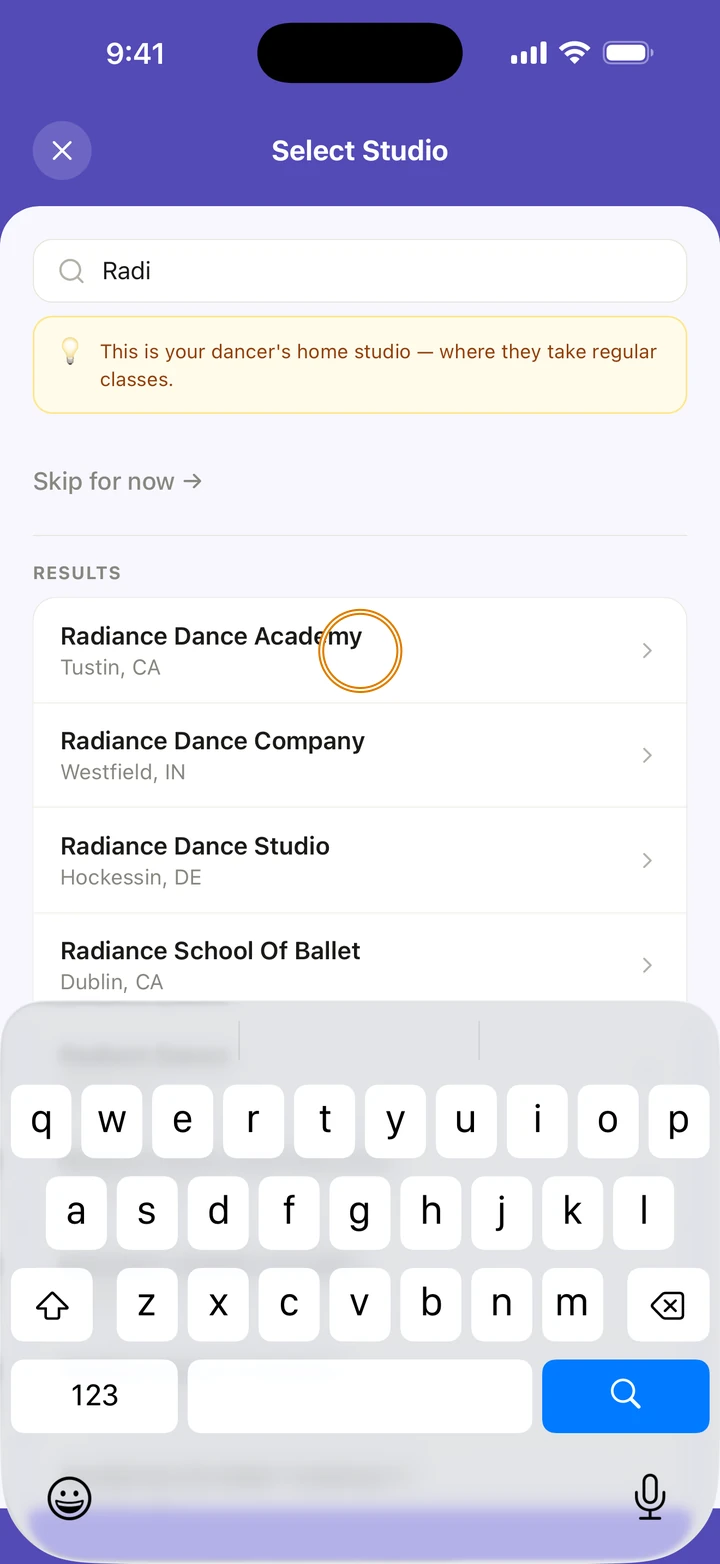
On Select Studio, type at least two letters of the studio's name and tap it.
-
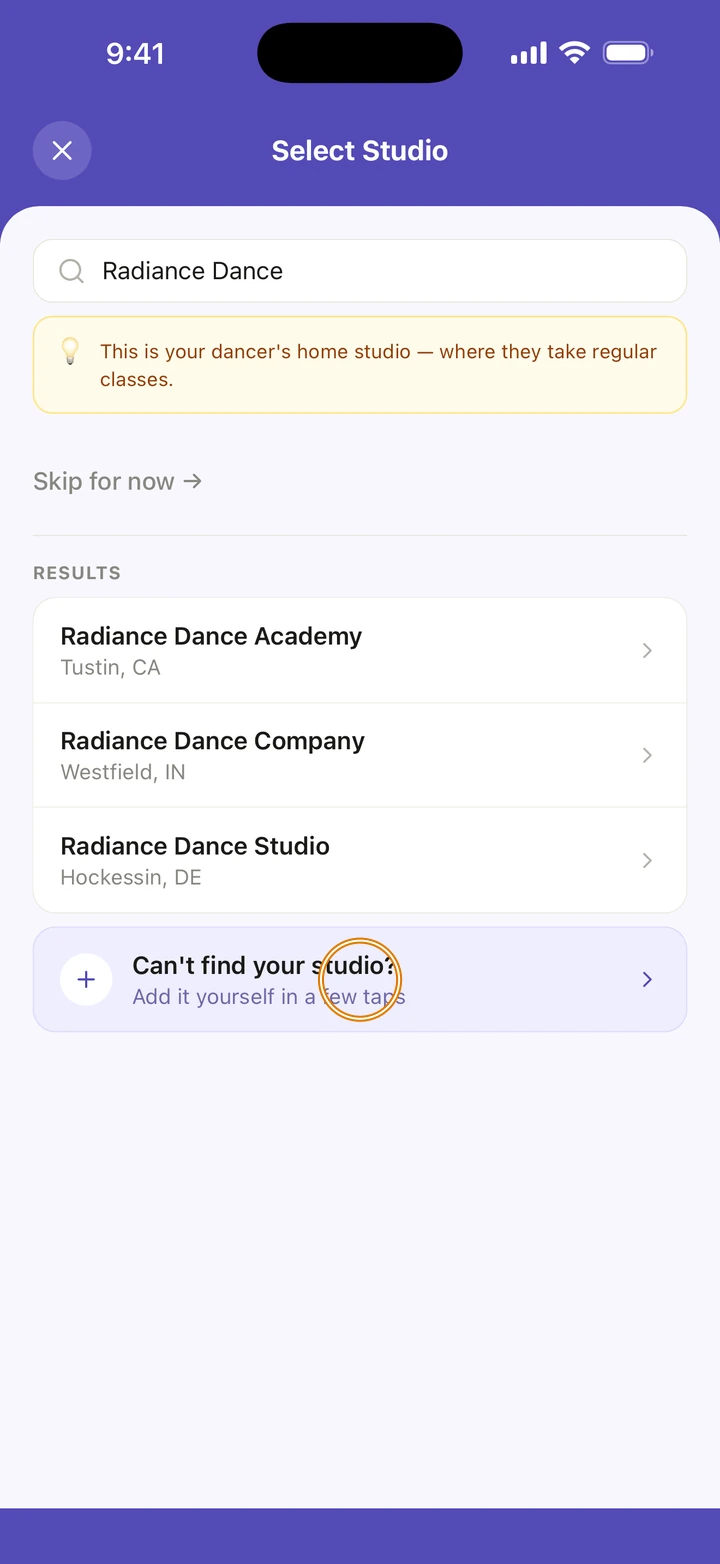
Not in the list? If only a few studios come back, tap Can't find your studio?. Fill in where to look and the studio's name, tap Search the wider directory, and tap your studio.
-
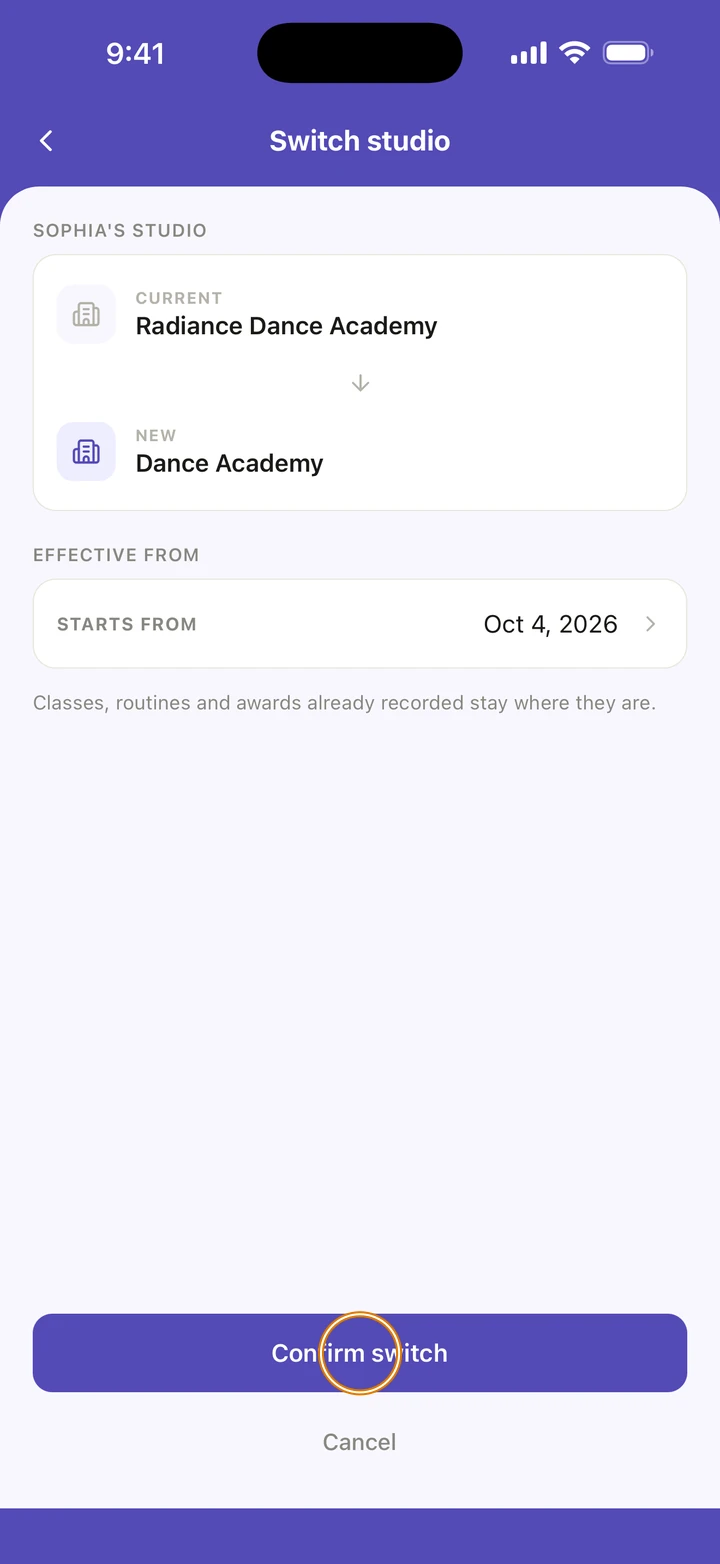
On Switch studio, check STARTS FROM: it is today unless you tap it and choose another date. Then tap Confirm switch.
Good to know
- Classes, routines and awards already recorded stay where they are. New ones use the new studio.
- The studio belongs to each dancer, so siblings can be at different studios.
- Studio history on your dancer's page lists their studios over time. Tap one to change its dates. To end the current one, tap the button that names it, such as Leave Radiance Dance Academy, and choose their last day.
- Manage → STUDIOS shows each studio with its address and phone, and Get Directions.
If something goes wrong
- If the wider search says You've searched a lot recently, try again in an hour.
- Chose the wrong studio? Do the steps again and choose the right one. Nothing is saved until you tap Confirm switch.
- For anything else, go to Manage → Get help. A real person reads every message.
Related
Checked on Ovation 1.1.5