01
Studio calendar 2026–2027 season · a PDF
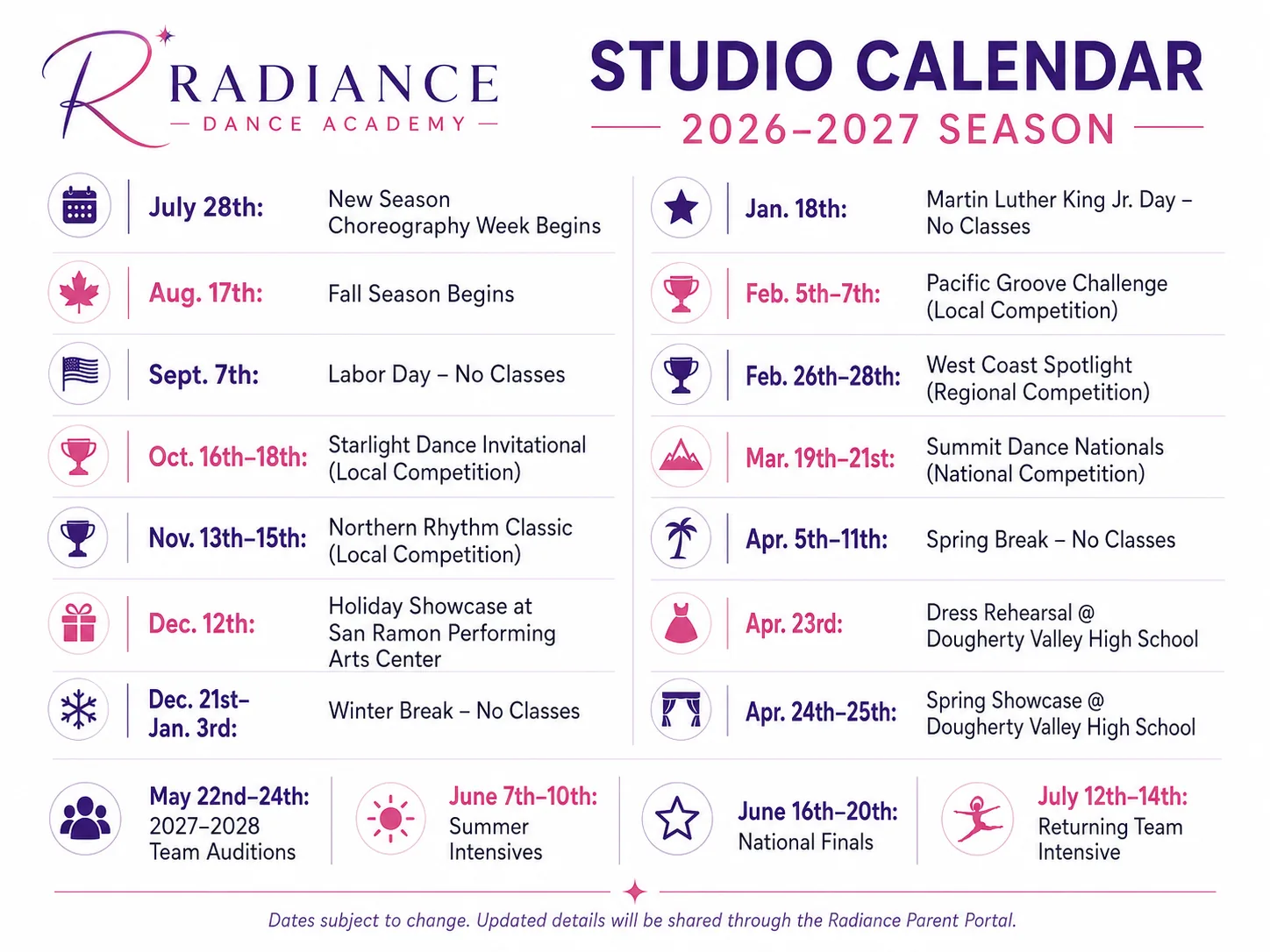
Breaks when the studio is closed, picture day, showcases, the recital and its dress rehearsal, and competition weekends.
DANCE SCHEDULE IMPORT
Ovation is an iPhone dance calendar app for families. Send it the weekly class schedule and the studio calendar you already have, check what it found, and scattered dates become one organized calendar.
THE TWO THINGS YOU ALREADY HAVE
The studio calendar tells Ovation the important dates of the season. The class schedule fills in what happens every week.
Breaks when the studio is closed, picture day, showcases, the recital and its dress rehearsal, and competition weekends.
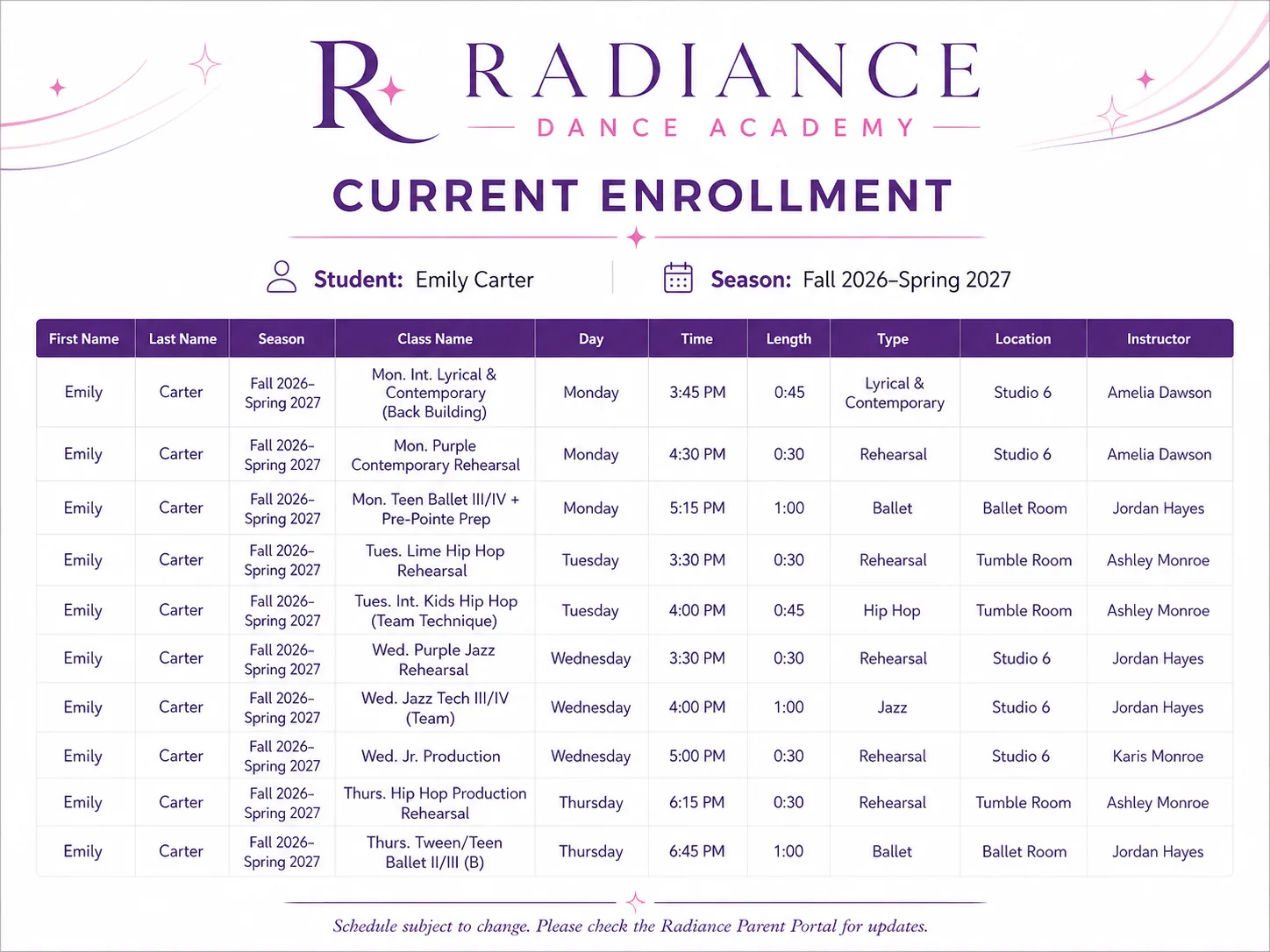
Class names, days, times, teachers, and rooms.
SEE THE FLOW
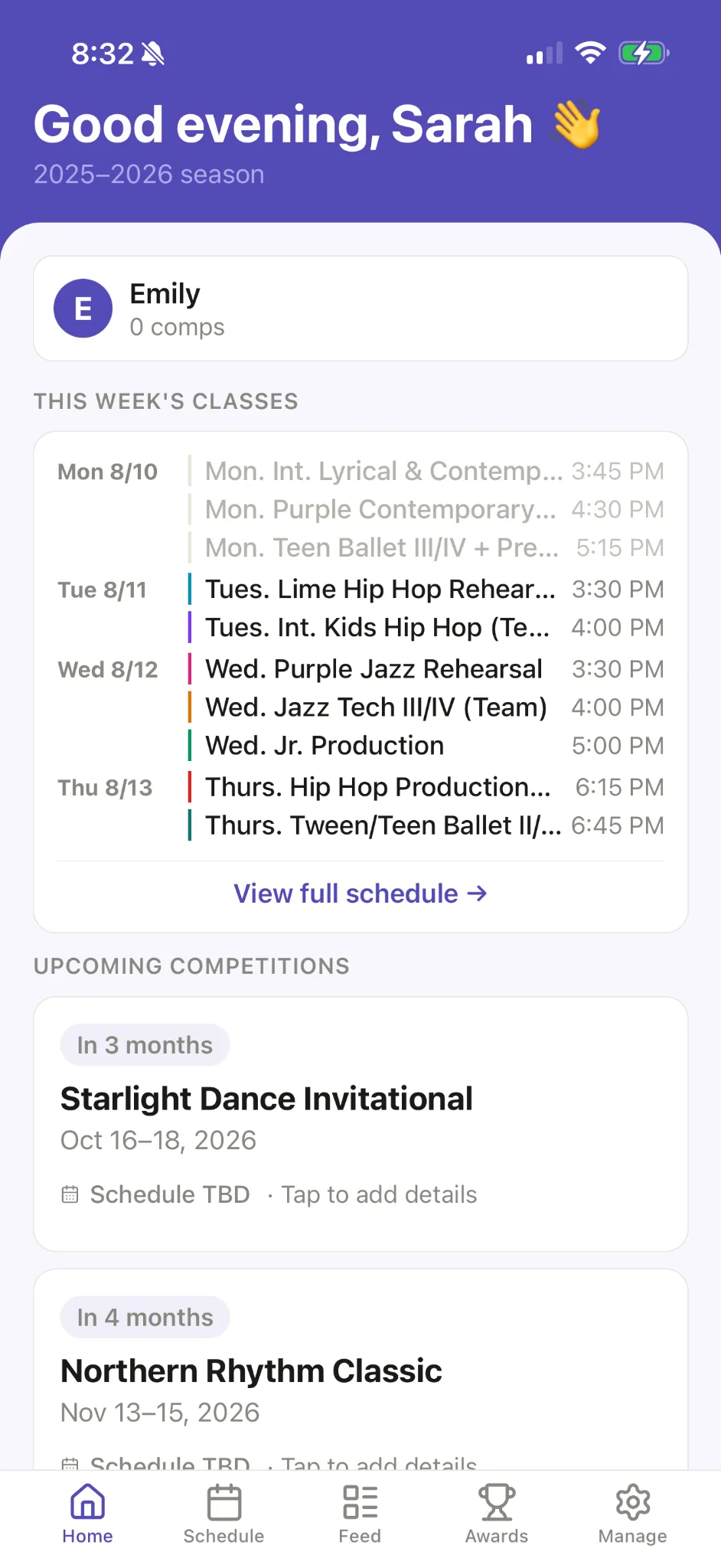
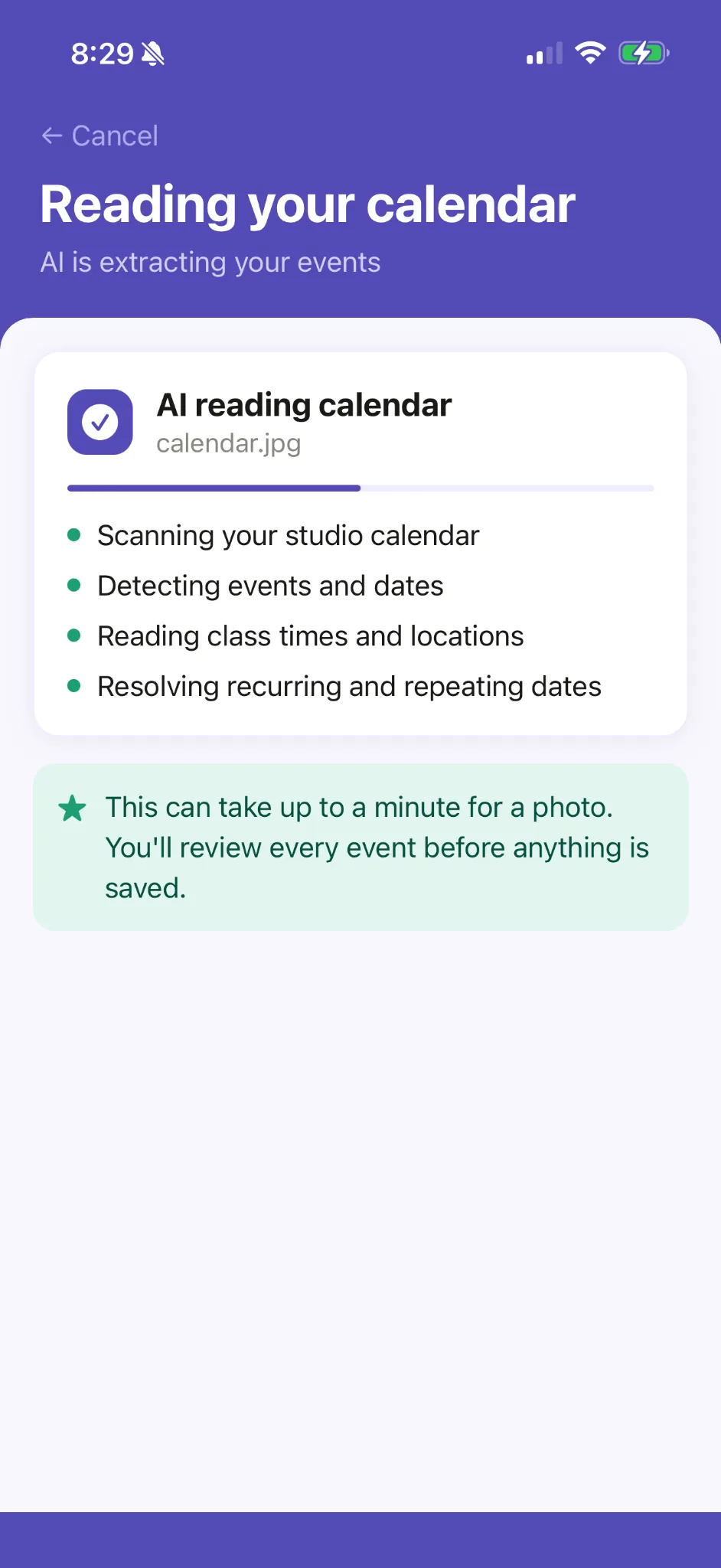
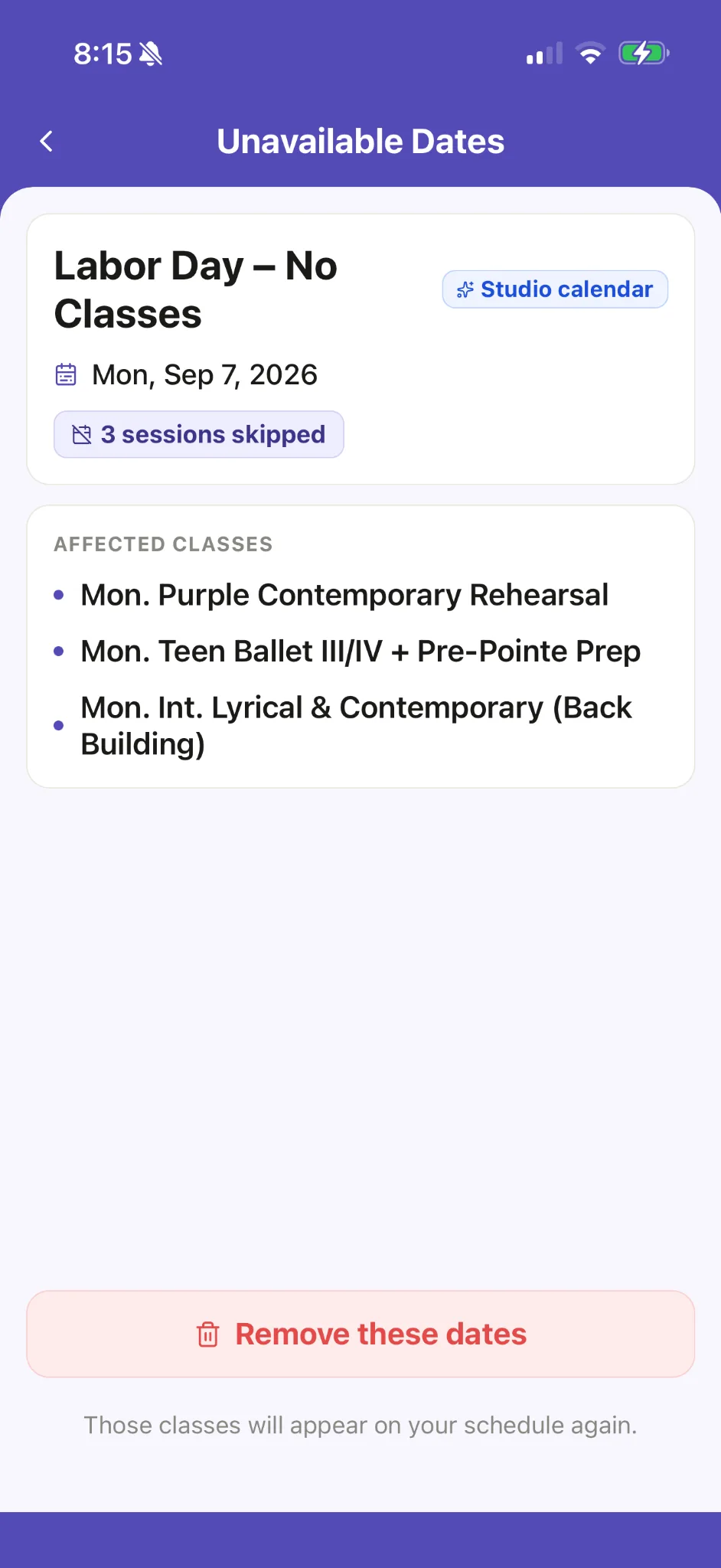
This is the real Ovation app reading the Radiance calendar above. It finds the competitions, studio closed days and events, lists the classes each break cancels, and adds nothing until you say so.
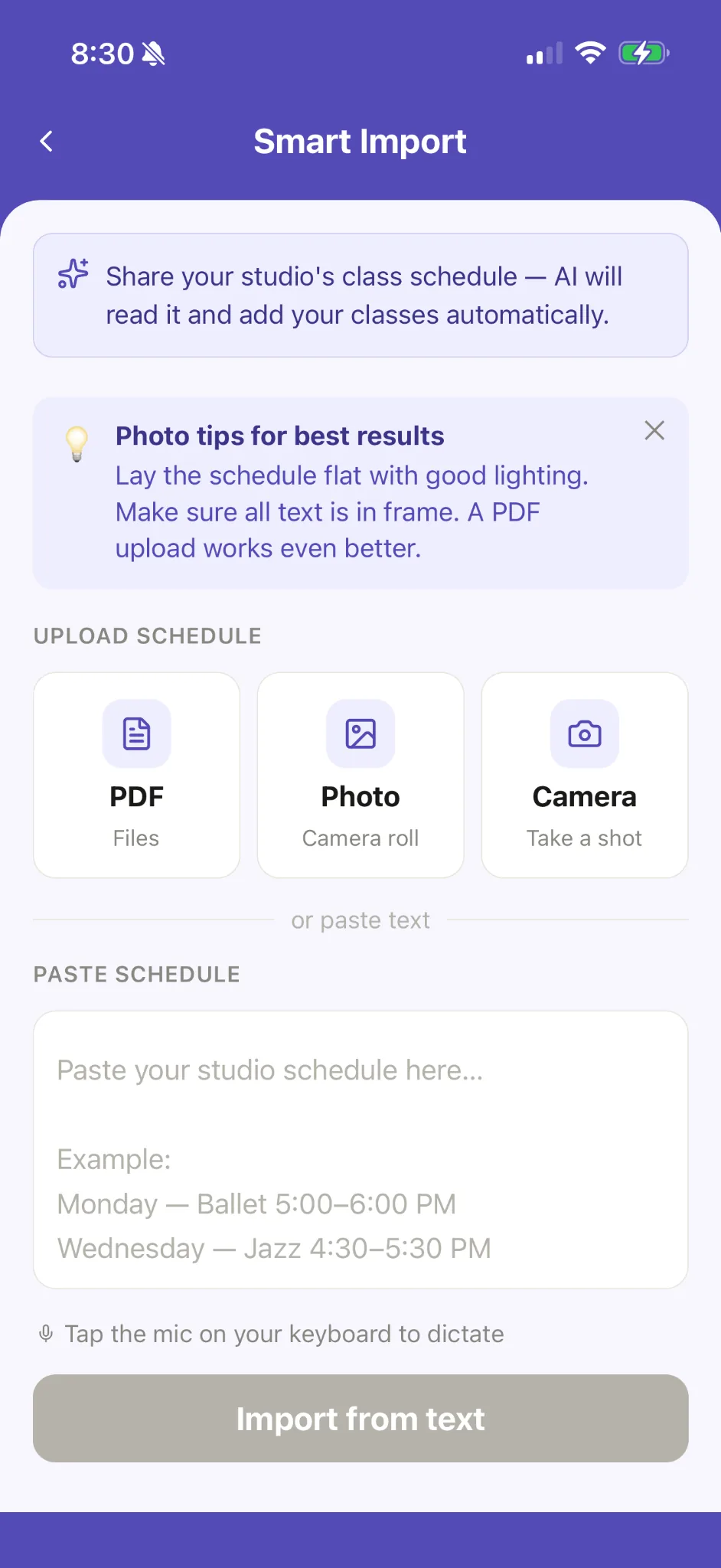
A PDF, a photo, the camera, pasted text, or a link to the studio’s page.
Each date is marked Competition, Studio closed, Event or Other.
Leave out anything you don’t want, then add the rest to your schedule.
25-second clip · the real Ovation app
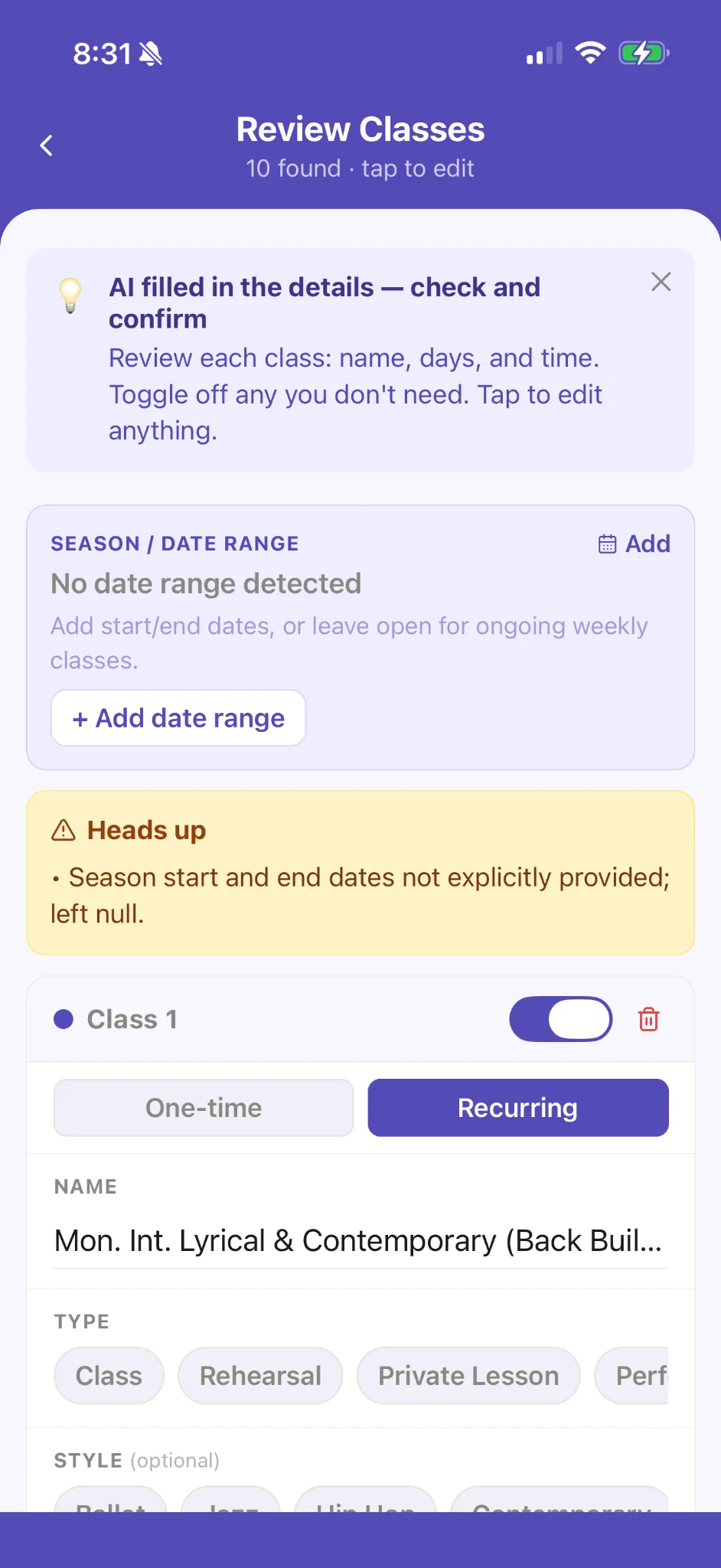
01 · WEEKLY CLASSES
Ovation reads each class’s name, days, start time, teacher and room, and lists them one line per class under their day. Classes already on your schedule come in unticked, so nothing is added twice.
02 · IMPORTANT STUDIO DATES
Ovation reads the competitions, studio closed days, and events from the studio calendar. Competitions are saved with their dates, and each break marked Studio closed lists the classes it cancels.
THE PAYOFF
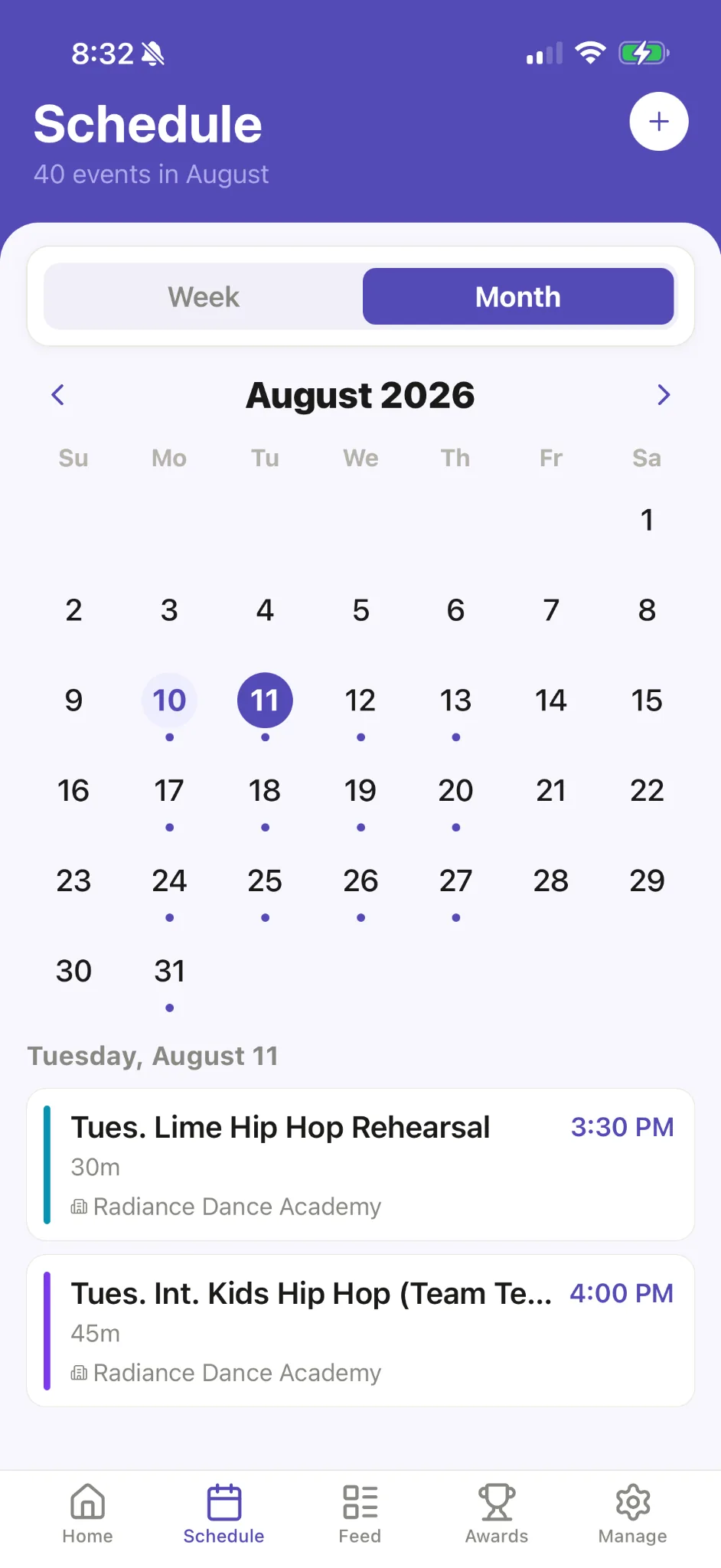
The weekly classes and the studio’s important dates now live together. Open the week, scan the month, and know what is happening without hunting through old emails or portal screenshots.
YOU STAY IN CONTROL
AI can save the typing without taking away the parent check. Review every class and date, edit anything that needs attention, then decide what gets saved.
Common questions
BUILT BY A DANCE PARENT
“I built Ovation because every season started with the same job: class schedules, studio dates, screenshots, and a lot of manual calendar entry. The first thing I wanted Ovation to solve was simple—stop making dance parents type all of this in by hand.”
READY FOR A CALMER START?
Import the weekly classes. Import the studio calendar. Review everything. Save.
Free to start · Your first two AI imports included