Journey: your dancer's progress
One page for each dancer: this season beside the last, how each routine's results have moved, their week in the studio, and every season so far.
- About 2 minutes
-
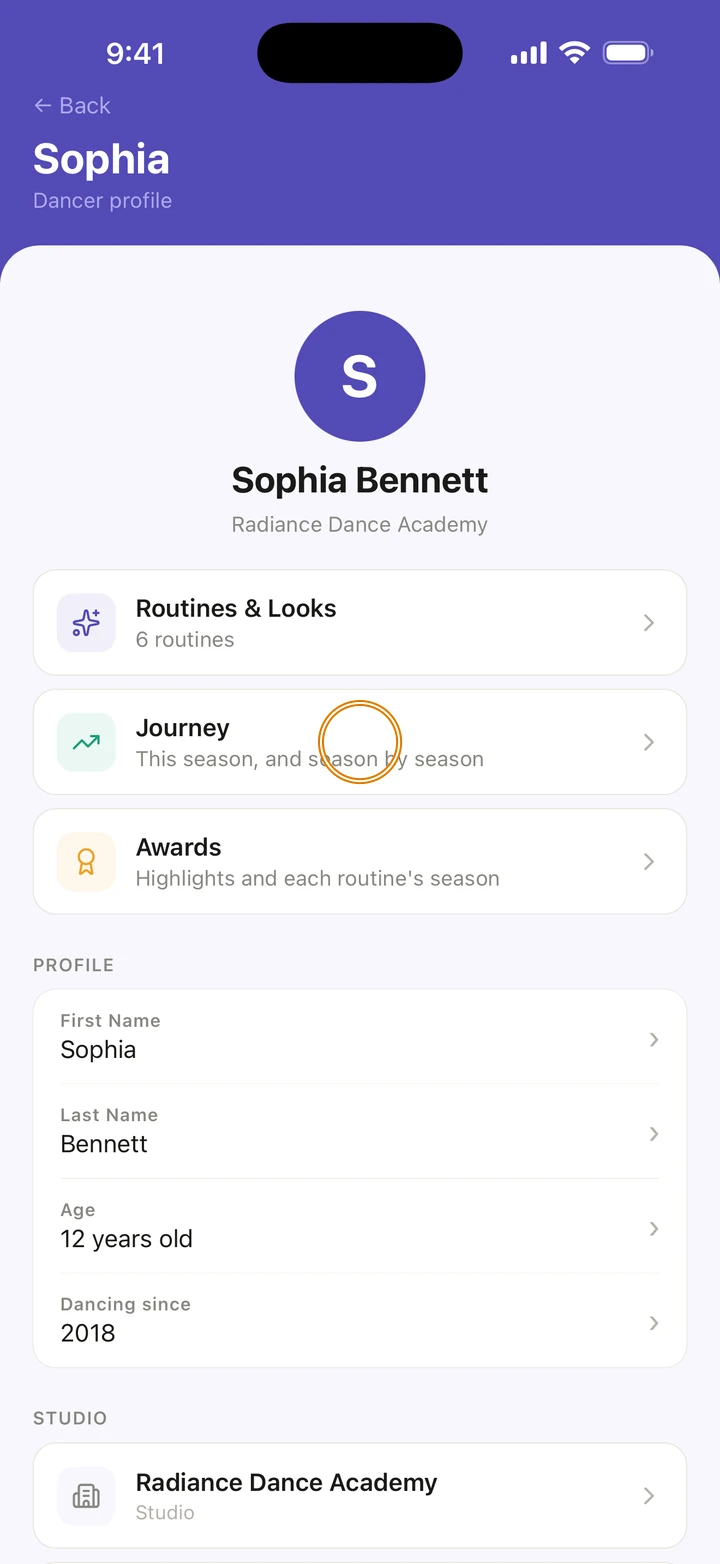
Go to Manage and tap your dancer under DANCERS, or tap their name on Home. Then tap Journey.
-
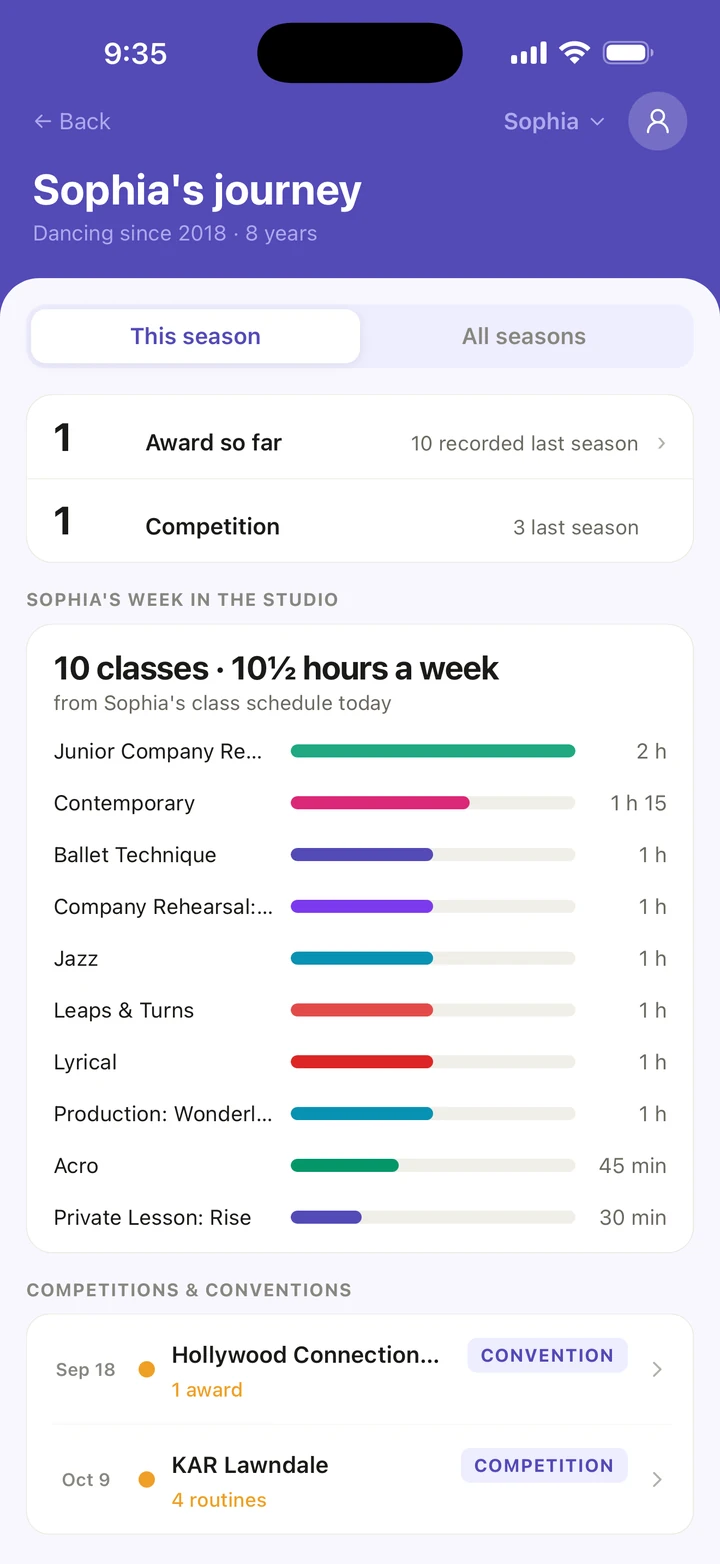
This season shows the awards and competitions so far, next to last season's, and how each routine's results have changed from one competition to the next.
-
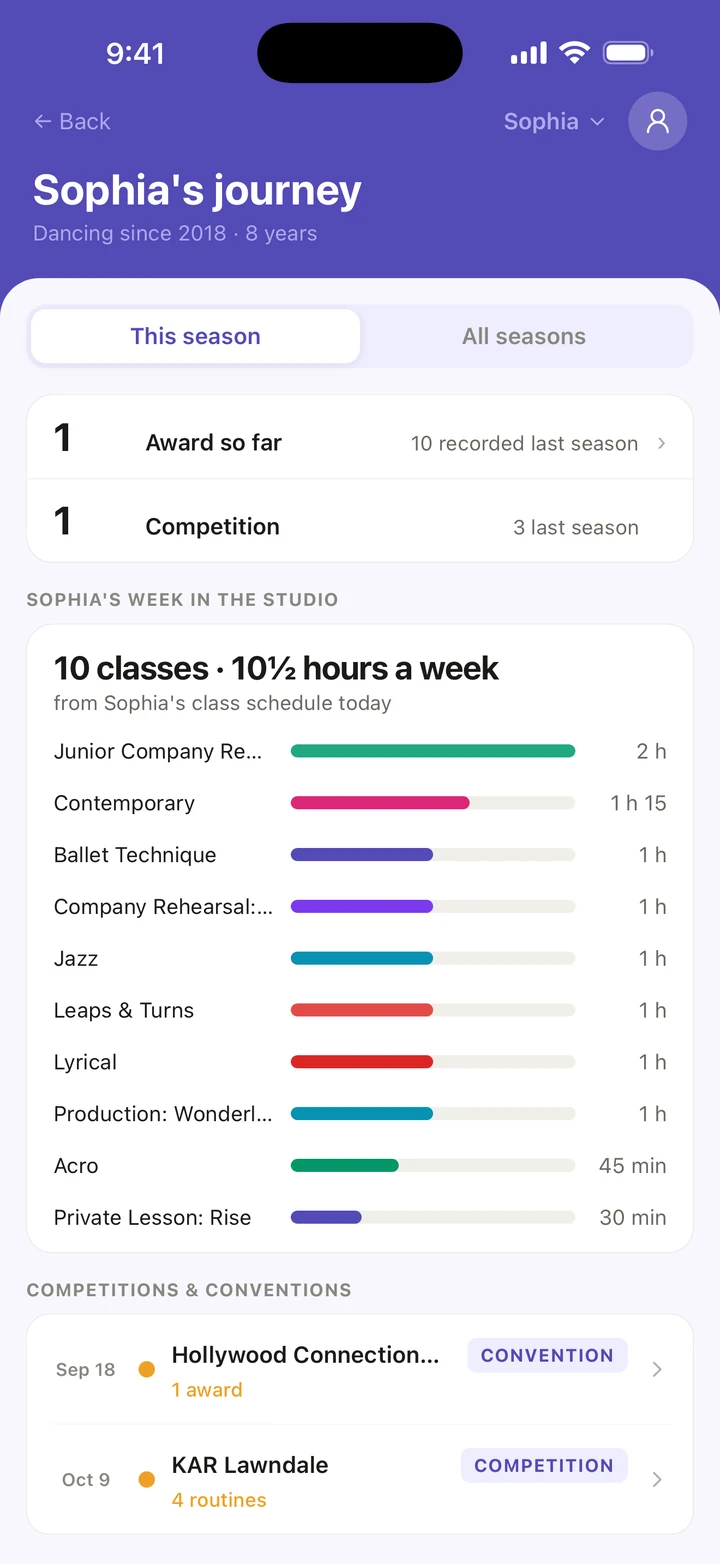
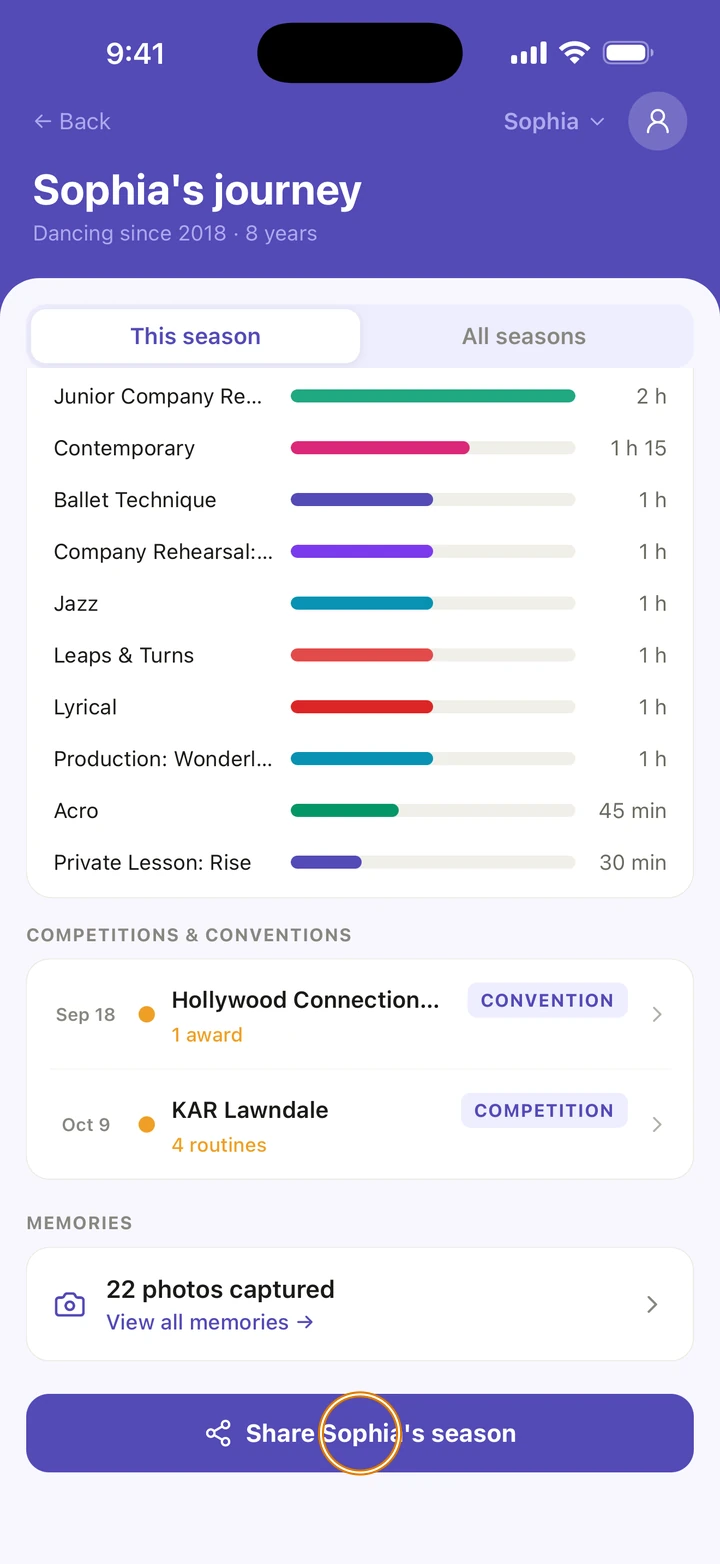
Below, see your dancer's week in the studio from their class schedule, and the season's competitions and conventions. Tap one to open it.
-
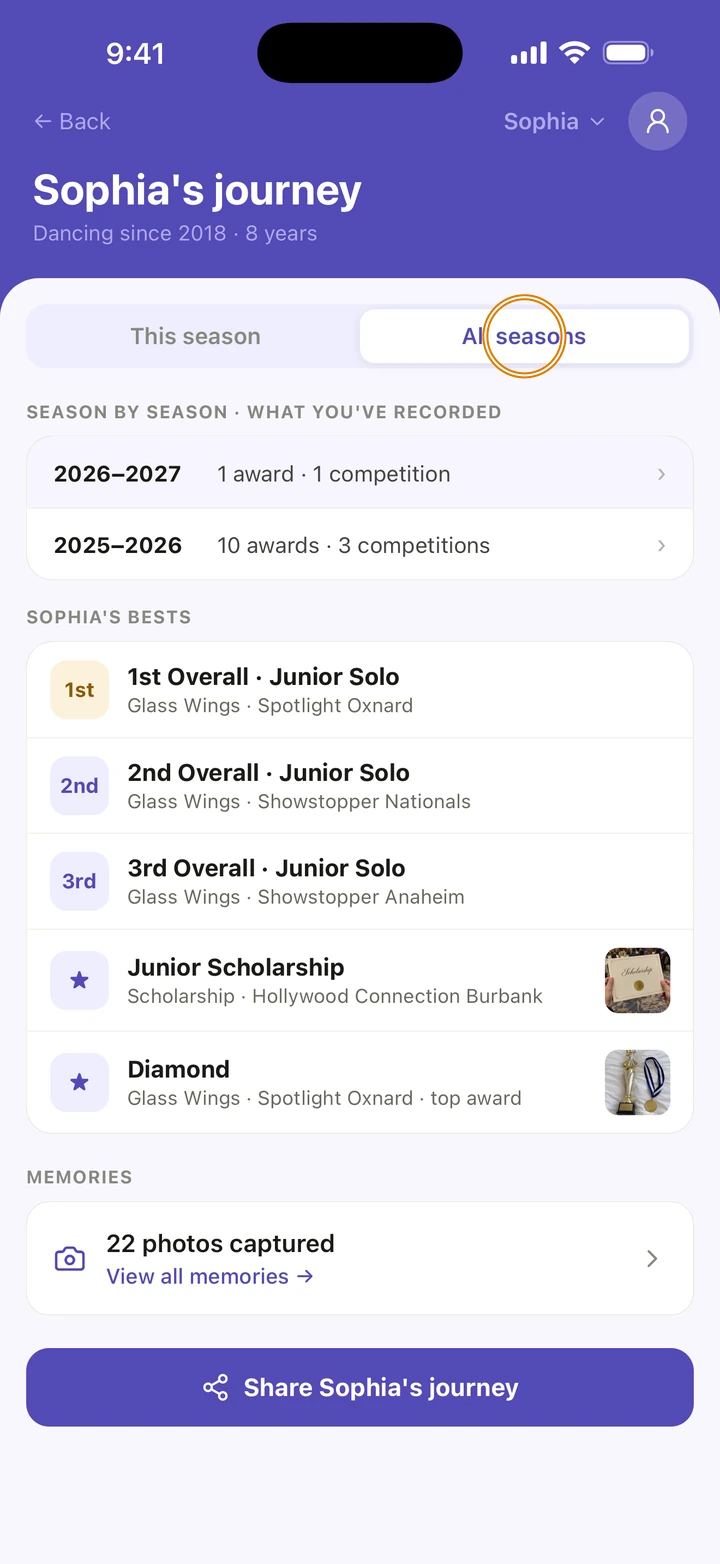
Tap All seasons to see every season you have recorded, and your dancer's best results.
-
To share it, tap the button at the bottom, for example Share Sophia's season. It shares a short summary as text.
Good to know
- In All seasons, Ovation may ask when your dancer started dancing. Tap Add it › and type the year; roughly is fine. You can change it later in Dancing since on their profile.
- A change in score is shown only when both scores are out of the same total.
- With more than one dancer, tap the name at the top of Journey to switch dancer.
- Journey is built from what you record: add results after each competition and it fills in.
If something goes wrong
- If Journey says it could not load, tap Try again.
- For anything else, go to Manage → Get help. A real person reads every message.
Related
Checked on Ovation 1.1.5